Write Without Friction.
Opens Instantly.
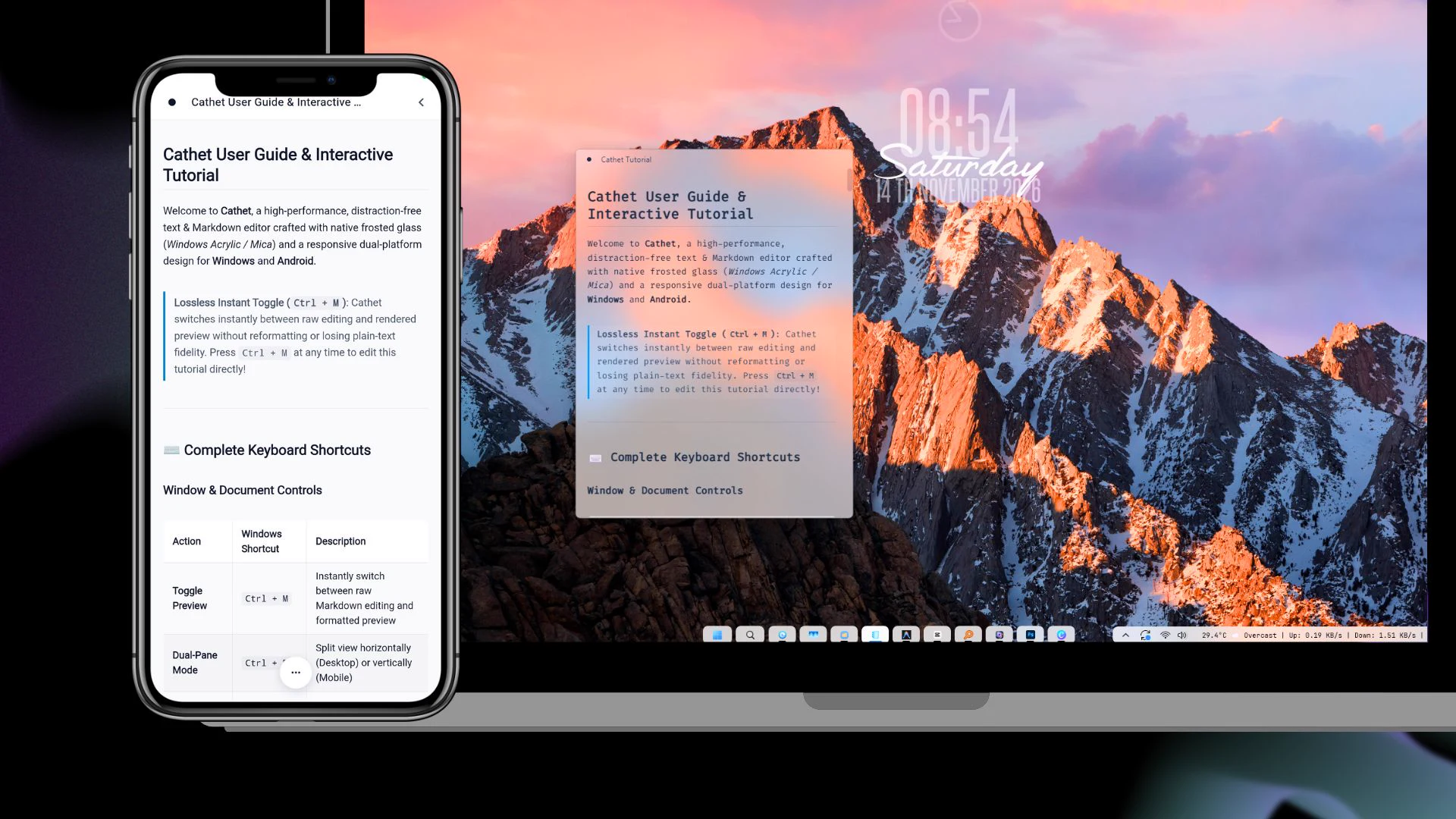
Designed to disappear until an idea strikes. Cathet blends native frosted glass with instant Markdown preview and side-by-side panes, keeping every word offline on your device.
CATHET
[ cha • thet ] • ꦕꦛꦼꦠ꧀Cathet
To write down, jot down, note, or record — cognate to Indonesian catat.
-an (cathetan)
Turns the everyday action of jotting something down into a lasting record.
“Write It Down”
A written note, memorandum, or quiet place to capture a fleeting thought.
Named after the Javanese word for capturing a note before it slips away. Built by Indonesian developer Kaleksanan Bagus Massani to give quick thoughts a fast, honest, distraction-free home across every screen you carry.
Built Out of Pure Spite for Slow Editors.
You shouldn't have to choose between a sterile 1995 scratchpad and a sluggish 300 MB browser pretending to be a notebook.
I just wanted an editor that opens before my finger leaves the mouse, blurs cleanly over my wallpaper, and renders Markdown without eating 400 MB of RAM.
The 5 Promises of Cathet
The Sterile Default Notepad
Fast, sure, until you actually need to read what you wrote. Zero Markdown formatting, no side-by-side comparison, no inline screenshots, and an opaque slab of flat gray that feels completely disconnected from modern Windows or Linux desktops.
The 250 MB Electron Beasts
Most modern Markdown apps ship an entire Chromium web browser just to display plain text. They sit on a loading spinner for three seconds, chew through half a gigabyte of memory, and fake "frosted glass" with muddy CSS gradients instead of native desktop vibrancy.
The Proprietary Cloud Silos
Sign-in walls, mandatory sync accounts, telemetry pings, and proprietary database blobs that hold your notes hostage. Your scratchpad should open local files directly, respect your privacy by default, and keep working on a plane with zero Wi-Fi.
Flip From Raw Notes to Clean Page in One Keystroke.
Try Cathet's lossless Ctrl+M toggle and Ctrl+D split view right here — without mutating a single space or line break.
# Weekend Field Notes - [x] Sketch frosted toolbar dock - [ ] Pack notes for offline flight > [!TIP] > Press Ctrl+M anytime for instant lossless preview. 
Weekend Field Notes
- Sketch frosted toolbar dock
- Pack notes for offline flight
Pasted screenshots shrink automatically in memory and render cleanly right inside your document.
Simple Until You Need More.
A clean glass canvas when you're jotting quick reminders — and deep writing tools the moment you summon them.
Clean Plain Text Meets Effortless Markdown.
Keep your canvas clutter-free, or summon the floating formatting bar (Ctrl+/) docked at the top, bottom, or side whenever you want bolding, alerts, tables, or math blocks at your fingertips.
- GitHub-style callout alerts, footnotes, interactive task checklists, and clean frontmatter pills.
- Zoom-lens scroll minimap and reading bookmarks to jump straight back to long sections.
- 100% lossless preview toggle never rewrites your formatting or strips blank lines.
Draft Left. Preview Right. Paste Images Without Mess.
Split any window in two with Ctrl+D to compare notes or watch your formatted document update beside your draft with synced scrolling.
- Paste screenshots straight from your clipboard — large images automatically optimize in memory so notes stay tiny.
- Long embedded image strings fold neatly into clickable frosted pills instead of flooding your editor.
- Drag the frosted center divider to resize panes or switch between locked and independent scrolling.
Real System Glass on Windows. Crisp & Native on Linux.
Built around each operating system instead of fighting it. Windows 10 and 11 get genuine hardware Acrylic and Mica backdrops, while Linux ships with smart desktop detection for GNOME, KDE Plasma, XFCE, and more.
- Pin above other windows with Ctrl+T while taking meeting or lecture notes.
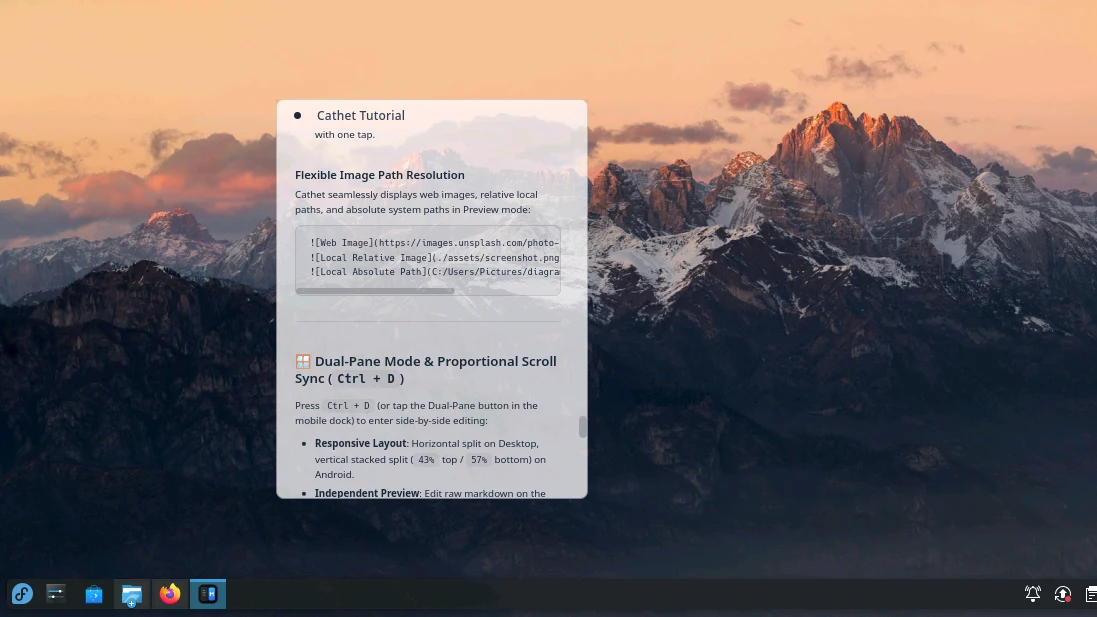
- Linux defaults to crisp solid slate on GNOME/Wayland and unlocks translucent blur on KDE Plasma.
- Run it straight off a USB thumb drive as a single portable executable or AppImage.
120Hz+ Silky Motion & A Biometric Safe Vault in Your Pocket.
Far more than a desktop port. Cathet on Android unlocks your phone's full 120Hz–165Hz display refresh rate, responds with springy touch physics, and tucks private notes behind a tactile rotary dial protected by your fingerprint.
- Pull down and steer right to dial open Private Notes with crisp ratchet haptics and native Biometric unlock.
- Drop stickers, GIFs, and images directly from Gboard straight into your Markdown notes.
- Highlight in-document search matches without ever collapsing your keyboard, or split vertically for dual-pane.
Cathet vs. The Alternatives
How Cathet delivers the instant launch of a native notepad alongside the writing power of a full Markdown studio.
| Feature | Standard Notepad | Heavy Note Apps | Cathet |
|---|---|---|---|
| Startup Speed | Instant | 2–5 Seconds | < 150ms Instant |
| Download Size | ~3 MB | 120–250 MB | ~3.5–4.4 MB Native |
| Memory Usage | Low | 150–500 MB RAM | Featherlight (~25–40 MB) |
| Glass Vibrancy | Flat opaque background | Fake CSS blur | Hardware Acrylic, Mica & Glass |
| Markdown Preview | Unsupported | Supported | Lossless Instant Toggle (Ctrl+M) |
| Dual-Pane Mode | Unsupported | Limited | Horizontal & Vertical Split |
| Ecosystem & Privacy | Windows only | Cloud accounts & lock-in | Windows + Linux + Android (Offline) |
| Pasted Images | Unsupported | External blob folders | Auto WebP & Collapsible Pills |
| Android Smoothness | N/A | Standard 60Hz | 120Hz / 144Hz / 165Hz Unlocked |
Right at Home on Every Screen.
Explore real captures of Cathet running natively across Windows 11, Linux desktops, and Android phones.
Light Mode Rendered Preview
Crisp typography, tables, task lists, and syntax-styled blocks over translucent light frosted glass.
Frosted Glass Settings Dialog
Compact personalization panel for Dark/Light circular reveal themes, fonts, backdrop mode, and Always on Top.
Collapsible Image Pills
Pasted screenshots shrink in memory and tuck neatly into clickable badges so raw markdown stays readable.
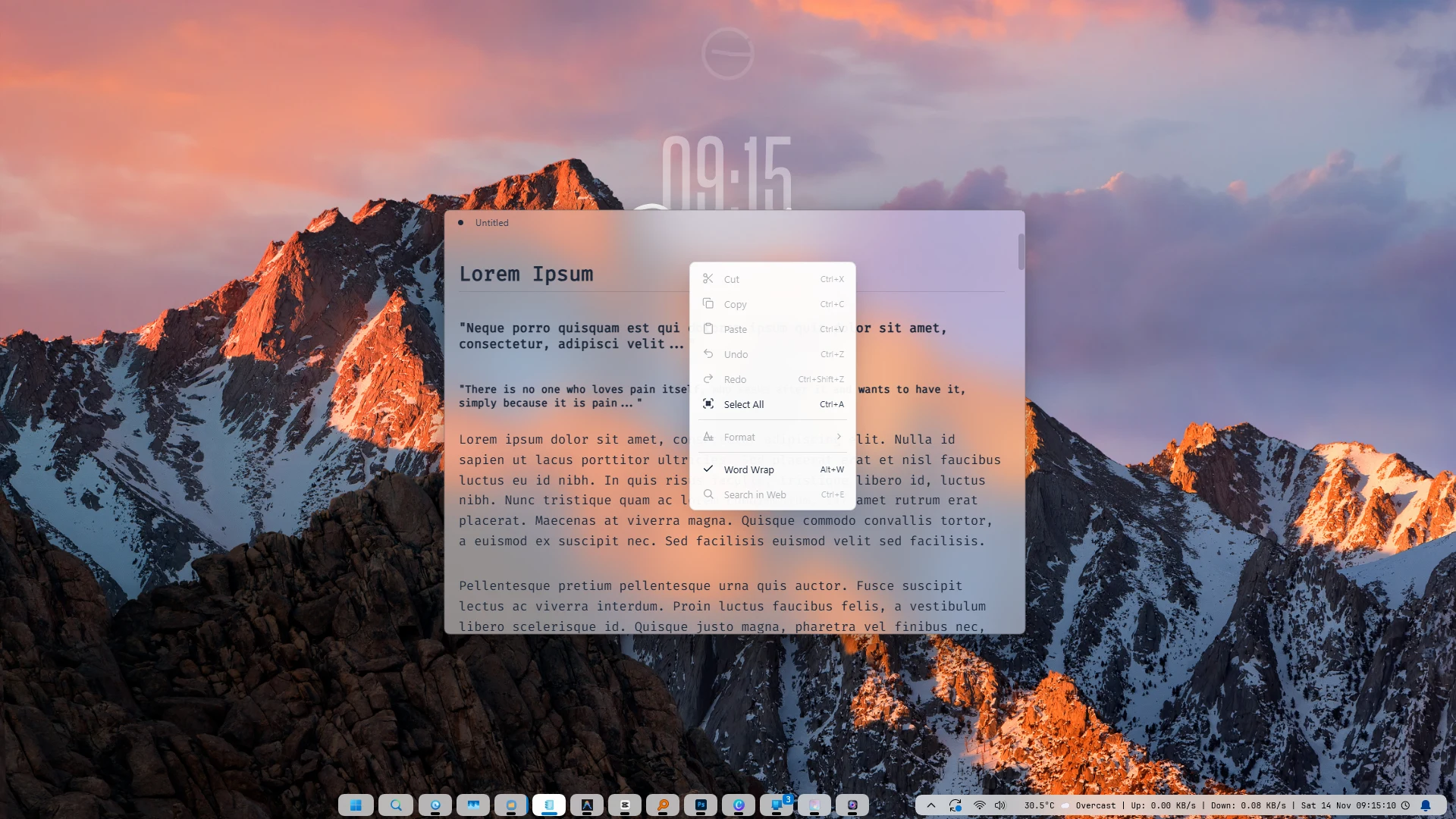
Custom Glass Context Menu
Clean frosted right-click menu with quick formatting, word wrap toggle, and instant web search.
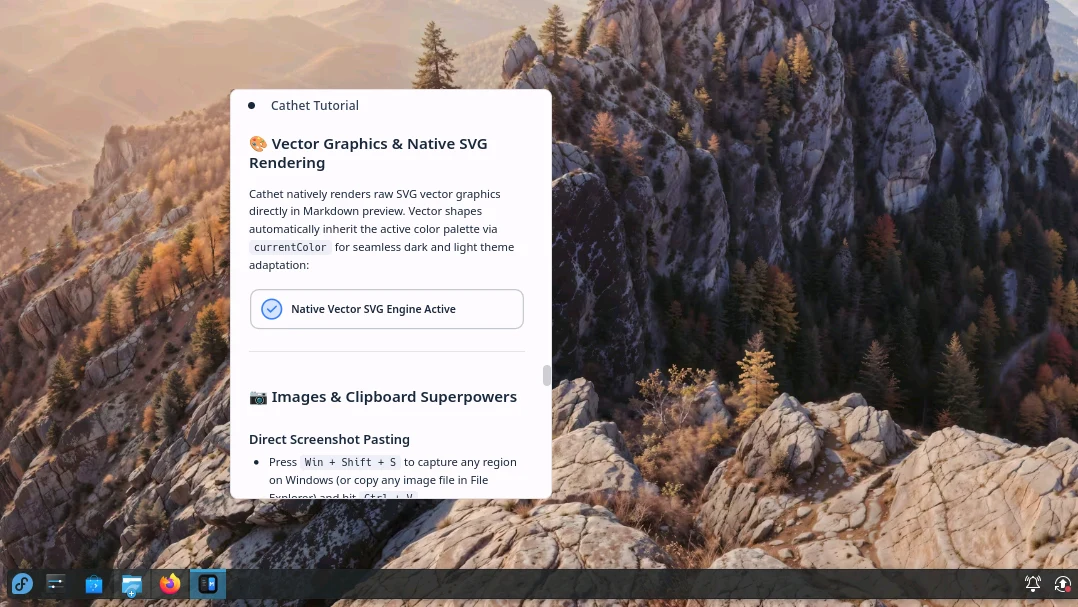
Solid Slate Default (GNOME / Ubuntu / Fedora)
Clean opaque slate canvas engineered to prevent Wayland transparency artifacts while staying ultra-fast on WebKitGTK.
Translucent Glass (KDE Plasma / KWin)
Automatic desktop environment detection unlocks genuine KWin translucent frosted blur with one toggle in Settings.
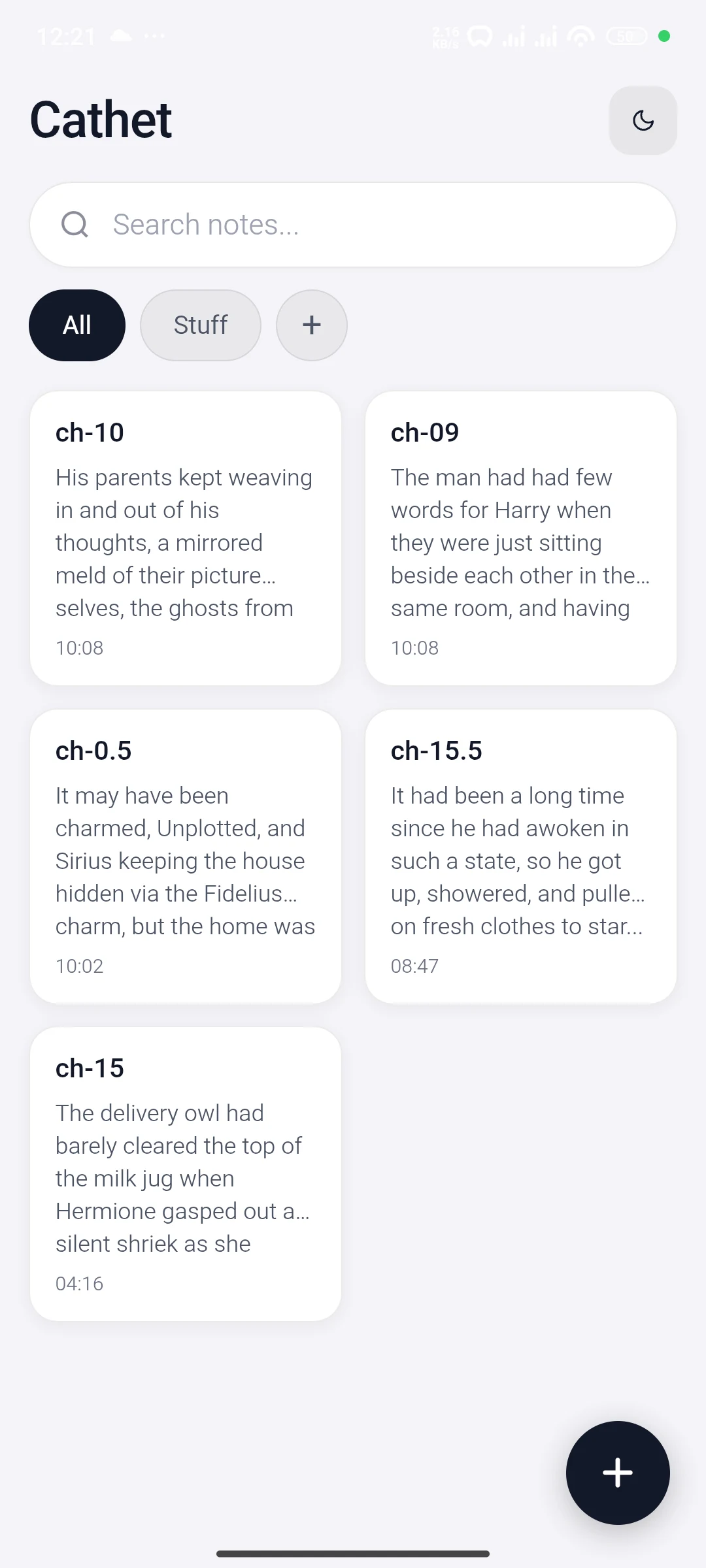
Notes Home Dashboard
Draggable folder pills, live search, note cards, and instant zero-opacity container morph animations.
Multi-Select & 2-Note Dual Pane
Long-press cards to pin, hide, duplicate, move folders, or launch two notes straight into Dual-Pane.
Gboard Stickers & Image Commit
Paste stickers, animated GIFs, and photos directly from Gboard straight into your Markdown canvas.
Focus-Preserving Search
Jump smoothly across highlighted matches without ever dismissing your keyboard or losing cursor focus.
Stacked Mobile Dual-Pane
Top-and-bottom split panes with proportional or 1:1 snap scroll sync and responsive touch dock controls.
120fps Settings & Theme Reveal
Slide-up glass bottom sheet with display refresh rate unlock (120Hz–165Hz) and circular theme transitions.
Engineered for Speed, Precision & Longevity.
Zero Electron bloat. Compiled with Rust size-optimization profiles (`opt-level = "z"`, LTO) and native OS bridges.
TypeScript + Vite UI
Modular vanilla TypeScript UI with CSS Custom Highlight search, View Transitions circular theme masks, and zero heavy runtime frameworks.
In-Memory Image Engine
HTML-to-Markdown paste pipeline with automatic WebP downscaling (>500 KB) folded into compact Base64 pills.
Local-First & Signed
Windows Schannel TLS / Rustls update checks only, private Android `metadata.json` storage, and GPG-signed Linux releases.
Quick Reference: Shortcuts & Gestures
Master Cathet in seconds on keyboard or touchscreen.
Download Cathet v5.5.7
Free, open-source (GPL v3.0), and completely offline. Pick your platform below for portable binaries, system packages, or Microsoft Store auto-updates.
Standard Intel & AMD PCs on Windows 10/11. Zero installer required.
Download x64Native build for Snapdragon Copilot+ PCs and Surface ARM devices.
Download ARM64Official Store release with automatic background updates for x64 & ARM64.
Get from StoreNative GTK3 / WebKitGTK package for Ubuntu, Debian, Mint & Pop!_OS.
Download .debLightweight native package for Fedora, openSUSE, and RPM distros.
Download .rpmSelf-contained portable binary. Run across Arch or any Linux distro.
Download AppImagegpg --import cathet-release-key.asc && gpg --verify SHA256SUMS.asc SHA256SUMS && sha256sum --check SHA256SUMS
Recommended for modern Android phones & tablets (Android 7.0–15+).
Download ARM64 APKIncludes all ABIs (arm64-v8a, armeabi-v7a, x86_64) for any device.
Download Universal APK